

David Groh
I help companies digitize accounting processes through cloud technologies, artificial intelligence, and automation. With more than 20 years of experience in enterprise software development, transformation projects, and technology architecture, I bridge the needs of finance teams with modern software that eliminates routine administration and simplifies everyday accounting processes.



David Groh specializes in cloud technologies, accounting process automation, and the implementation of artificial intelligence in financial management. As Co-founder and CTO of Wflow, he is responsible for the company's technology strategy, product development, and platform architecture.
He brings more than twenty years of experience in enterprise software development, IT architecture, and large-scale transformation projects to Wflow. Throughout his career, he held senior positions at CEMEX and ARBES Technologies, where he led projects focused on business process digitization, enterprise system implementation, and technology innovation.
Together with Robert Soudný, he founded Wflow with the goal of changing the way companies process accounting documents. Today, he leads the development of a platform that combines artificial intelligence, workflow automation, and ERP integrations into a single solution for modern digital accounting.
In his articles and expert content, he focuses on accounting digitization, financial process automation, the use of AI in document processing, cloud technologies, and technology trends shaping the future of finance.
Key Experience & Projects
- more than 20 years of experience in enterprise software development and technology solutions
- Co-founder and CTO of Wflow
- architecture design for an accounting automation platform
- development of cloud solutions for accounting digitization
- implementation of AI technologies for document extraction and processing
- design and implementation of ERP and accounting system integrations
- leadership of large-scale digital transformation projects
- management of technology teams and product development
- implementation of enterprise systems in large international organizations
Expertise
David has long specialized in the following areas:
Cloud Technologies & AI
- cloud architecture for SaaS platforms
- artificial intelligence for accounting document processing
- OCR and intelligent data extraction
- cloud application scalability
Accounting Automation
- accounting process digitization
- approval workflow automation
- accounts payable and receivable document processing
- financial workflow design
ERP, Integrations & Technology
- ERP and accounting system integrations
- API architecture and enterprise application connectivity
- enterprise information systems design
- technology architecture and process management
Product Development & Innovation
- SaaS product design for finance
- technology leadership
- product strategy
- implementation of innovation in financial processes
Published articles

Accounting on Autopilot: AI Takes Over Routine Document Processing
Wflow Accounting Autopilot is an AI layer that automates routine document work from receipt through to preparation for accounting. It collects and classifies documents, extracts data, checks inconsistencies and shows where accountant intervention is required. The goal is not to replace the accounting team, but to remove manual work and shift attention towards control, exceptions and financial management.
Wflow Accounting Autopilot is an AI layer for automating routine document processing.
It automatically collects, classifies, reads and checks documents, prepares them for accounting and highlights where accounting expertise is needed.
Accountants step in mainly where experience, control or decision-making is required.
For modern companies, this shift matters for a simple reason: the volume of documents, data and control requirements is growing faster than the capacity of finance teams.
If accounting is expected to support business management rather than merely process administration retrospectively, routine work needs to move from accountants’ desks into automated workflows.
What Accounting Autopilot Does
Accounting Autopilot covers the document journey from receipt through to preparation for accounting.
After receiving a document, it recognises and classifies it, extracts data, checks their accuracy, flags inconsistencies and prepares an accounting entry.
The document is then ready to be sent to the ERP or accounting system.
Why Accounting Autopilot Exists and Who It Is For
Accounting routine needs to be automated not because it is unimportant, but because it unnecessarily consumes the time of people who should be creating greater value for the company.
Accounting Autopilot is being developed because data extraction alone is no longer enough.
An invoice should not end as a completed set of fields that accountants still need to process manually.
It should move through the whole process: from receipt through checks and accounting suggestions to a clear signal showing whether it can continue automatically or requires human expertise.
A single simple document can involve several manual steps today: finding it in an inbox or folder, identifying who it belongs to, retyping information, adding an account, cost centre or project, checking it and passing it on.
For one document, this may seem minor.
Across hundreds or thousands of documents every month, those small steps become a significant process burden.
Accounting Autopilot gradually reduces that burden.
Standard documents move through the process almost independently, while accountants step in where their experience actually adds value: exceptions, ambiguity, inconsistencies or sensitive cases.
How Accounting Autopilot Works
Accounting Autopilot is built around five main functions: Smart Inbox, Data Extraction, Dynamic Accounting, Validation and Control, and the Traffic Light.
Together, these functions cover the entire document lifecycle from receipt to the decision on whether it can continue automatically.
1. Smart Inbox Classifies All Incoming Documents
Smart Inbox automatically collects incoming documents, recognises their type and assigns them to the correct client or folder.
Invoices, receipts, contracts and emails no longer remain scattered across different inboxes, folders and attachments.
The aim is for accountants not to begin their day sorting through incoming mail and searching for what arrived.
Documents are ready for processing immediately after receipt.
2. Data Extraction Ends Manual Re-Keying
Data Extraction automatically reads important information from invoices and documents: amounts, VAT, suppliers, due dates and other fields.
Accountants only check the extracted information and correct it if necessary.
Feedback matters as well.
When an accountant corrects a value, the system learns from that correction for similar documents in the future.
A correction therefore becomes more than a one-off task.
It becomes an investment in the accuracy of future processing.
3. Dynamic Accounting Suggests the Accounting Entry
Dynamic Accounting pre-fills the account, cost centre or project based on how the company processed similar documents in the past.
The Autopilot therefore does not rely only on a universal rule.
It learns from the real history and habits of the specific company.
For a known supplier, the system can immediately suggest the usual accounting treatment.
Recurring cases are processed more consistently, and new team members can understand the company’s usual accounting practice faster.
4. Validation and Control Find Errors Before They Become Problems
Validation checks for inconsistencies before posting.
It runs in the background and only requires accountant attention when the process reaches step 5.
It can flag:
- a duplicate invoice,
- an unusual amount,
- a change in the bank account of a known supplier,
- or another pattern that deviates from normal operations.
5. The Traffic Light Shows Where Human Attention Is Needed
The Traffic Light is the final stage of the control layer.
For each document, it shows how confident AI is about the individual steps and what should happen next.
A green document can continue automatically.
An amber document needs only a quick check.
A red document means something does not fit and the document requires accountant review.
This means the team does not need to check everything with the same intensity.
It can focus attention where it is genuinely needed.
The Traffic Light separates documents that can continue automatically from cases where accountant involvement has real impact.
Routine invoices do not need to wait for manual review.
But a changed supplier bank account, an unusual amount, incorrect VAT treatment or a recurring error for a particular client is sent directly to a person.
Accountants therefore no longer deal only with whether “the document is correct”.
They can actively help the business: flag a risky supplier, identify duplicate or suspicious invoices, standardise accounting across the team, accelerate month-end preparation, explain unusual expenditure to management or suggest better rules for the future.
That is no longer document re-keying.
That is financial control.
What Wflow Accounting Autopilot Brings to Companies
Accounting Autopilot has clear goals:
- reduce the cost of document processing,
- increase team capacity without additional hiring,
- accelerate closing and reporting,
- reduce errors,
- and give finance teams more time for management rather than operations.
For accounting firms, this means the ability to serve more clients with the same team and improve margins.
For small companies, less administration and better financial control.
For mid-sized companies, the ability to grow without routine work increasing at the same pace.
For large and international companies, greater standardisation, better data-quality control and scalable finance operations without adding further complexity.
This is therefore not only about faster document processing.
It is about increasing the capacity of the finance team.
Routine work shrinks while the space for control, exceptions, financial management and decision-making grows.
Control Remains With Accountants
Accounting Autopilot is not built on the idea that AI should be given free rein.
Quite the opposite.
Its principle is that AI prepares suggestions and people make the decisions.
Every record should remain auditable.
Accountants can see what AI did and why.
AI learns from the specific company’s data, while sensitive or disputed cases are automatically routed for review.
For every suggestion, it should be possible to trace what the AI based it on.
This matters because accounting is not merely an administrative process.
It has legal, tax and financial consequences.
Accounting Autopilot is therefore not designed to automate responsibility.
It is designed to automate the routine work that prevents accountants from focusing on responsible work.
How the Rollout Will Work
Wflow Accounting Autopilot is being rolled out gradually.
Each new function is intended to take over another part of manual work without forcing companies to redesign their existing processes or make one major change at once.
Right now, we are improving data extraction using Wflow AI, and Smart Inbox will launch in autumn 2026.
Further stages will follow over the coming months.
There is a practical reason for the gradual rollout.
Companies do not introduce AI into every step at once.
They gradually learn what the system can do, where it provides the greatest benefit and where human control should remain.
FAQ
What Is Accounting Autopilot?
Accounting Autopilot is an AI layer in Wflow that automates routine document processing from receipt through to preparation for accounting.
It classifies, reads and checks documents, suggests accounting entries and shows where accountant intervention is required.
Does Accounting Autopilot Replace the Accounting System?
No.
Wflow does not replace your accounting system.
It works as an AI layer above the existing accounting or ERP system and prepares documents so they can continue to be processed in the environment you already use.
Who Keeps Control of the Decision?
Control remains with the accounting team.
AI prepares suggestions, but the final decision remains with a person.
Sensitive or disputed cases are automatically routed for review.
Want to find out how much routine work Accounting Autopilot could take over in your accounting process?
Book a Wflow demo and see how AI can prepare documents, check exceptions and keep the final decision in your hands.

Don’t Try to Automate Responsibility
Safe use of AI in accounting must be built around human oversight, traceability and a clear boundary between what the system can prepare and what an accountant needs to confirm.
AI in accounting can perform a great deal of work faster than a person. It can read a document, complete data fields, suggest accounting treatment, flag inconsistencies or prepare information for review.
All of that makes sense to automate.
But for a cautious accountant, the question “How much time will AI save me?” is immediately followed by another:
“If AI gets something wrong, who is responsible?”
Because responsibility is not simply another item in a workflow.
And this is where the most important discussion about AI in accounting begins.
The question is not only what the system is capable of doing. It is where automation should stop and where human judgement becomes essential.
AI Can Suggest. It Cannot Carry the Consequences.
Accounting is not only the technical processing of documents.
Every accounting decision can have tax, legal, financial or client consequences.
An incorrect VAT treatment, a missed exception or a document interpreted in the wrong way is not simply a system error.
It is a decision somebody ultimately needs to be able to justify.
That is why AI in accounting should not be designed as a replacement for responsibility.
A system can prepare a suggestion, but the accountant needs to know when to confirm it, when to modify it and when to stop the process.
Why the Final Decision Must Remain Human
When AI suggests accounting treatment, it can draw on:
- company history,
- similar documents,
- the supplier,
- the amount,
- email context,
- or existing accounting rules.
That is extremely useful because the accountant no longer needs to start with an empty field.
But a suggestion is not the same as a decision.
The accountant understands the company’s context, internal practice, unusual situations, exceptions and wider implications.
They know when two invoices are genuinely similar — and when they merely look similar.
That difference is exactly where responsibility sits, and it cannot simply be handed over to a system.
Traceability Is the Foundation of Trust
In accounting, it is not enough for a system to make a suggestion.
The accountant needs to see why it made that suggestion.
If AI recommends an account, cost centre or VAT treatment, or flags an inconsistency, it should be possible to trace the reasoning back to its source.
Was it based on historical accounting behaviour? A rule? A previous correction? A specific company practice?
Without an audit trail, an AI suggestion can easily become a black box.
And black boxes do not belong in accounting.
Trust in AI does not come from a system appearing intelligent.
It comes from the accountant being able to quickly verify why a particular course of action was suggested — and decide whether it makes sense.
The Traffic Light as the Boundary Between Automation and Responsibility
One of the most important elements of Wflow Accounting Autopilot is the Traffic Light.
Not because coloured labels look good in a process, but because they provide a clear boundary between where accounting automation can continue and where a person needs to step in.
The Traffic Light is not decoration.
It is a safeguard against automating errors.
It means accountants do not need to devote the same amount of attention to every document, while automation is prevented from continuing into situations that are no longer routine.
And responsibility stays exactly where it belongs.
Safe AI Needs to Understand the Accounting Environment
AI can be very good at understanding text and document structure.
In accounting, however, that is not enough.
There is no single European accounting and VAT practice that applies identically everywhere.
Companies operate under national accounting, VAT and reporting requirements while also dealing with cross-border EU transactions.
A common example is an invoice from another EU Member State.
It is not enough to identify the supplier, amount and due date.
The correct treatment may depend on the type of transaction, the VAT status of both parties, whether reverse charge applies and the reporting requirements in the relevant Member State.
At the same time, EU rules are moving towards greater digital convergence: ViDA introduces new digital reporting requirements for cross-border B2B transactions from July 2030, based on e-invoicing.
That is why it is not enough for AI to simply “understand invoices”.
It needs to understand the environment in which those invoices are processed.
For AI in accounting to be safe, its suggestions need to reflect the relevant accounting and tax context — and they must remain verifiable.
Not so accountants can stop thinking, but so they do not have to research ordinary recurring situations from scratch every time.
How Wflow Accounting Autopilot Is Built Around This Principle
Wflow Accounting Autopilot is being built on exactly this principle:
AI handles routine work, but the final decision remains with a person.
Wflow Accounting Autopilot is not a replacement for an accounting system. It works as an AI layer above it. It receives documents, classifies them, reads them, prepares and checks them, suggests the next step and passes processed data into the accounting or ERP system.
The goal is not to remove accountants from the process.
The goal is to remove work that consumes their time while preserving oversight, control and responsibility wherever they are necessary.
Accounting Autopilot will therefore not function as an independent “AI accountant”.
It will be part of the accounting workflow.
Standard cases will move faster, questionable cases will stop, and suggestions will show what they are based on.
For a broader look at which parts of accounting AI will take over first and why advisory work will become more valuable, read Accounting Routine Belongs to AI. Decision-Making Stays Human.
FAQ
Who Is Responsible When AI Suggests an Accounting Treatment?
Responsibility for the accounting decision remains with a person.
AI can prepare the suggestion, but an accountant must decide whether to accept, modify or reject it.
Can AI Post an Accounting Document Automatically?
For routine cases where the system has high confidence, AI can significantly accelerate preparation and automate recurring steps.
Sensitive, disputed or uncertain cases should be sent to the accounting team for review.
What Is the Traffic Light in Wflow Accounting Autopilot?
The Traffic Light indicates how confident AI is about a particular document.
Green cases can continue automatically, amber cases require quick verification, and red cases require accountant review.
Why Does AI in Accounting Need to Understand Local Practice?
Because accounting and taxation are not governed only by the logical structure of a document.
VAT treatment, domestic reporting rules and accounting practice differ between jurisdictions, while cross-border EU transactions introduce another layer of rules.
How Does This Relate to Wflow Accounting Autopilot?
Wflow Accounting Autopilot is based on the principle that AI takes over routine document work while final decisions remain with the accounting team.
AI suggests. People decide.
Want to see how AI can help with accounting routine without losing control over the outcome?
Book a Wflow demo and see how Accounting Autopilot can prepare documents, highlight exceptions and keep the final decision in your hands.
More than 8,000 companies already manage finances without chaos.










Lindt values low error rates and significant time savings
“The Wflow mobile app is the simplest and fastest way to approve invoices. I especially appreciate that I don’t need to turn on my computer for every transaction—just a few taps in the app and everything is taken care of.”


Shoptet introduced its first AI-powered internal processes with Wflow
“Today, we process all incoming documents digitally—from approval to handover to our external accounting firm. Wflow helped us streamline the entire process, improve efficiency, and build a strong foundation for further automation.”











How to get your finances under control
Practical instructions on how to speed up document processing, set up approvals, and get real-time cost insights.



Digital Archiving of Accounting Documents: A Practical EU Guide
A digital archive is not simply a folder full of PDFs. A properly designed archive must allow a company to find a document years later, understand where it came from, preserve its integrity and keep it accessible throughout the required retention period.
It is therefore not the same as scanning paper documents.
The distinction is simple:
Scanning creates a file. Digital archiving creates a controlled system for preserving documents and their context.
Digital archiving is one part of a broader digital accounting environment.
Why a Folder Full of PDFs Is Not a Digital Archive
Imagine an invoice saved as: invoice_final2_corrected.pdf
The file exists.
But five years later, can you determine:
- where it came from,
- which version is authoritative,
- who reviewed it,
- who approved it,
- whether anything changed,
- which transaction or accounting entry it belongs to?
If not, you have electronic file storage.
You do not yet have a well-controlled digital archive.
The real value of archiving comes from connecting:
document + data + process history
What Does EU Law Require From Digital Invoice Storage?
There is no single European law that defines every detail of how every accounting document must be archived.
For VAT invoices, however, EU legislation establishes several important common principles.
Under the EU VAT Directive, the authenticity of the origin, integrity of the content and legibility of an invoice must be maintained from issuance until the end of its storage period.
Authenticity of Origin
The company must be able to establish who issued the invoice.
This does not necessarily mean that every invoice requires an electronic signature.
EU rules allow businesses to use business controls that create a reliable audit trail between an invoice and the underlying supply of goods or services.
Integrity of Content
The required invoice content must remain protected against unauthorised alteration.
If information changes during processing, the company should still be able to understand what happened and preserve the required evidence.
Legibility
The invoice must remain readable throughout the relevant storage period.
This becomes particularly important in long-term digital storage.
It is not enough to save a file today if the company cannot reliably retrieve and read it years later.
What Is Harmonised Across the EU — and What Is Not?
This is where the old version of this article was too simplistic.
There is no universal EU rule saying that accounting documents must be kept for five, seven or ten years.
Individual Member States determine invoice retention periods and can impose additional national requirements.
For an international company, this has a practical consequence:
retention policy cannot simply be copied from one country to another.
A digital archive should allow retention rules to be configured according to document type, company and jurisdiction.
How Long Should Accounting Documents Be Kept?
The correct answer for an EU-wide audience is:
It depends on the Member State and the type of document.
The EU VAT Directive explicitly leaves the invoice-storage period to individual Member States.
National accounting and tax rules can then impose additional retention requirements for:
- invoices,
- accounting books,
- tax documentation,
- contracts,
- payroll records,
- employment documentation,
- corporate records.
Companies operating in several markets should therefore create a retention matrix based on the jurisdictions in which they operate.
Do not rely on a generic rule such as:
“Delete everything after ten years.”
The correct retention period may differ by country and document category.
What Is a Qualified Electronic Archiving Service Under eIDAS?
European rules around electronic archiving have also evolved.
The updated eIDAS framework introduced electronic archiving as a recognised trust service.
Under the Regulation, electronic archiving means a service that handles the receipt, storage, retrieval and deletion of electronic data or documents while preserving:
- durability,
- legibility,
- integrity,
- confidentiality,
- proof of origin.
The Regulation also defines qualified electronic archiving services.
A qualified service is provided by a qualified trust service provider and must meet additional requirements designed to preserve data and documents throughout the required legal or contractual preservation period.
Documents preserved using a qualified electronic archiving service benefit from a legal presumption regarding their integrity and origin during the preservation period.
Digital Archiving Should Not Start After Accounting Ends
A common mistake is to imagine the process as:
process → post → archive somewhere
A digital archive should instead be connected with the entire document lifecycle.
For example, an invoice may move through:
receipt → extraction → validation → approval → accounting context → ERP → archive
During that process, important information is created:
- when the document arrived,
- where it came from,
- who reviewed it,
- who approved it,
- what information changed,
- which exception was handled,
- when it was transferred to accounting.
If the company archives only the final PDF, much of that context disappears.
Digital archiving therefore belongs inside the broader accounting automation architecture.
What Should Modern Digital Archive Software Be Able to Do?
Archive Documents Automatically
Users should not have to complete the accounting process and then remember:
“Now I need to save this somewhere.”
Archiving should be integrated naturally into the document workflow.
Make Documents Easy to Find
A document should be searchable using information such as:
- supplier,
- invoice number,
- date,
- document type,
- project,
- cost centre,
- accounting metadata.
An archive that technically contains a document but makes it difficult to retrieve solves only half the problem.
Preserve Documents Together With Data
An invoice is more than an image.
It contains structured information such as:
- supplier,
- amounts,
- VAT,
- dates,
- due date,
- invoice number,
- accounting context.
Connecting documents with their metadata improves both retrieval and downstream processing.
Manage Access Rights
Not every employee needs access to every financial document.
A digital archive should therefore support user roles and permissions.
Preserve Process History
For financial documents, knowing what the document looks like today is often not enough.
Companies may also need to understand:
- who worked with it,
- who approved it,
- what changed,
- when events occurred.
Connect With Accounting and ERP Systems
The archived document and accounting record should not exist as two unrelated objects.
A connected process links the document, extracted data, approval history and accounting entry.
Audit Trail, Electronic Signature and Timestamp: What Is the Difference?
These concepts are often mixed together.
They solve different problems.
Electronic Timestamp
A timestamp can provide evidence that specific electronic data existed at a particular time.
Electronic Signature
An electronic signature is used primarily to connect a signer with electronic data and to support verification of the signature.
Depending on the type of signature and the applicable law, it can have different legal effects.
Audit Trail
An audit trail records what happened during a process.
It can show, for example:
- when a document entered the system,
- who approved it,
- what was changed,
- when it moved to the next stage.
An audit trail is therefore particularly important for internal financial control.
Why Is Digital Archiving Important During an Audit?
During an audit, the question is rarely only:
“Do you have the invoice?”
The auditor may also need context:
- Who approved it?
- Which process did it follow?
- Was anything changed?
- Which transaction or accounting entry belongs to it?
- Where is the supporting documentation?
If documents, emails, approvals and accounting data are distributed across several systems, audit preparation becomes a manual investigation.
A good digital archive helps the company answer a more useful question:
Can we reconstruct what happened?
Physical Storage vs Poorly Designed Digital Storage
Paper archives have obvious weaknesses.
Documents can be:
- lost,
- damaged,
- destroyed,
- filed incorrectly,
- available only in one physical place.
But digital does not automatically mean safe.
A poorly designed digital repository can still suffer from:
- weak access controls,
- nclear document versions,
- missing backups,
- inability to demonstrate changes,
- incorrect retention or deletion rules,
- loss of context between a document and accounting data.
The right comparison is therefore not simply:
paper vs cloud
It is:
uncontrolled storage vs controlled archiving.
How to Implement Digital Archiving Step by Step
1. Map the Documents
Identify:
- which document types the company processes,
- where they come from,
- where they are currently stored,
- who uses them,
- which laws apply to them.
2. Define Retention Rules
Do not create one retention period for every document.
Build rules by:
- document type,
- legal entity,
- country,
- applicable legislation.
For international companies, this is one of the most important design decisions.
3. Define Access Rights
Access should reflect actual responsibilities.
Finance, management, accountants and auditors may require different levels of access.
4. Decide How Documents Enter the Archive
The best archive does not begin with a manual Upload to archive button.
Documents should enter the archive naturally as part of their normal workflow.
For example:
invoice received → validated → approved → accounting data prepared → archived
5. Connect Documents With Accounting Data
Avoid two disconnected worlds:
file in archive + accounting entry in ERP
Create one connected process instead.
6. Start With One Document Category
Incoming invoices are often a practical pilot because they have:
- relatively high volume,
- a clear workflow,
- accounting relevance,
- long-term retention requirements.
7. Test Retrieval
Imagine a tax authority or auditor asks for one specific invoice several years from now.
Can you find it quickly?
Can you also explain its history?
If not, the archive is not finished.
The Most Common Mistake: Creating a Digital Filing Cabinet
A company removes its paper binders.
They are replaced with:
- folders,
- subfolders,
- more subfolders,
- file names,
- manually maintained rules.
The paper disappeared.
The process did not.
That is not genuine digitalisation.
A digital archive should reduce the number of manual decisions required to store and retrieve a document.
How Does E-Invoicing Change Digital Archiving?
Structured e-invoicing changes the object being archived.
Historically, companies often thought of an invoice as a visual document:
paper → PDF
With structured e-invoicing, an invoice increasingly becomes machine-readable data.
That raises a broader question.
What needs to be preserved:
- the visual representation,
- the structured invoice data,
- related attachments,
- evidence of authenticity and integrity,
- processing history,
- accounting context?
The precise legal answer depends partly on the Member State and applicable rules.
Operationally, however, finance teams should design archiving around documents, data and context, rather than treating the invoice as a standalone PDF.
Across Europe, this becomes increasingly important as structured e-invoicing expands and ViDA pushes financial processes further towards machine-readable data.
Read more in our guide to Peppol and e-invoicing in Europe.
How Does Wflow Fit Into Digital Archiving?
In Wflow, archiving is connected to the wider accounting process.
Documents can move from receipt through AI-supported extraction and approvals into the accounting or ERP environment and remain stored together with relevant process context.
Wflow supports areas such as:
- digital document storage,
- search and filtering,
- timestamps,
- process history and audit trail,
- ser access rights,
- connection with accounting and ERP systems through ready-made integrations and an open API.
The archive therefore does not need to be an isolated endpoint.
It can remain part of the document lifecycle.
Want to Move From File Storage to a Controlled Digital Archive?
You do not need to migrate every historical document at once.
Start with one process — for example incoming invoices — and ensure that new documents are captured, processed, connected with accounting data and archived correctly from the beginning.
FAQ
What Is Digital Archiving?
Digital archiving is the controlled long-term storage of electronic documents and data so that they remain accessible, readable, protected and traceable throughout the required preservation period.
How Long Do Accounting Documents Need to Be Archived in the EU?
There is no single retention period for all EU countries.
For VAT invoices, the EU VAT Directive allows each Member State to determine its own storage period.
Other accounting, tax, corporate and employment documents can be subject to different national retention rules.
Can Accounting Documents Be Stored Electronically?
In general, electronic invoice storage is recognised under EU VAT rules.
Companies must still comply with the applicable national requirements regarding retention periods, formats, accessibility and evidential requirements.
Does EU Law Require Electronic Signatures on Archived Invoices?
No general rule requires every invoice to carry an electronic signature.
Under the EU VAT Directive, authenticity and integrity may also be supported by business controls that create a reliable audit trail between an invoice and the underlying transaction.
What Is a Qualified Electronic Archiving Service?
Under the updated eIDAS framework, a qualified electronic archiving service is provided by a qualified trust service provider and meets specific requirements for preserving electronic data and documents.
Documents preserved through such a service benefit from a legal presumption regarding their integrity and origin during the preservation period.
Is a PDF Folder in Cloud Storage a Digital Archive?
Not necessarily.
A folder can store documents, but a proper archive also needs to address retrieval, access rights, integrity, retention, process history and connection with the underlying business or accounting context.
What Is an Audit Trail?
An audit trail is the recorded history of events associated with a document or process.
It can show who processed or approved a document, what changed and when individual actions occurred.
What Is the Difference Between Digitalisation and Digital Archiving?
Digitalisation converts paper-based or manual information into electronic documents and structured data.
Digital archiving focuses on preserving those documents and data over time while maintaining their accessibility, integrity and traceability.
Sources
European Commission: VAT Invoicing
EUR-Lex: Council Directive 2006/112/EC on VAT, Articles 233 and 244–249
EUR-Lex: Regulation (EU) 2024/1183, European Digital Identity Framework / eIDAS
EUR-Lex: Implementing Regulation (EU) 2025/2532 on qualified electronic archiving services

E-Invoicing Is the Beginning. What Internal Process Comes Next?
E-invoicing changes the way an invoice arrives in a company. But the real value comes afterwards: when the invoice is correctly classified, checked, approved, enriched with context and passed into the accounting or ERP system. See how to build and automate the internal process after invoice receipt.
E-Invoicing Is the Beginning. What Internal Process Comes Next?
E-invoicing changes the way an invoice arrives in a company.
Instead of a PDF attachment in an email, it can arrive as structured data that a system can read and process automatically.
That is a major step.
For financial management, however, an equally important question is what happens to the invoice after it arrives.
Who checks it? Who approves it? Who adds the cost centre, project or accounting context? Where are duplicates, suspicious bank-account changes or missing purchase orders detected? And when do the data reach the ERP so finance can actually work with them?
Across Europe, the regulatory journey differs by country. Some Member States already require structured domestic e-invoicing, others are introducing it gradually. At EU level, ViDA will make e-invoicing the basis for digital reporting for relevant cross-border B2B transactions from 1 July 2030. Taxation and Customs Union
If you are still getting familiar with the basics, start with E-Invoicing in the EU: How Peppol Works and Why It Is About Data, Not Documents.
Here, we will look at the next step: the internal process after the invoice arrives.
The Process Does Not End When the E-Invoice Arrives
A structured invoice improves the quality of incoming data.
But it does not create the rules inside your company.
That is why the transition to e-invoicing is a good opportunity to look not only at invoice format, but at the entire document flow from receipt to accounting.
Email Is Not an Accounting Workflow
Email can receive an invoice.
It cannot manage a financial process.
It does not know who should approve an invoice. It does not check whether it matches a purchase order. It does not automatically flag a changed supplier bank account. It does not know that an invoice has been stuck with one person for five days.
And when an auditor or CFO needs to find out exactly what happened to a document, an email thread quickly stops being sufficient.
If approvals are currently scattered across email, chats and informal agreements, see how automated invoice processing can connect approval, data extraction and accounting workflow.
What Should Happen After an Invoice Arrives?
Once an invoice arrives, the document needs to be classified, its type identified, data completed or validated, routed to the right approver, checked for exceptions and prepared for transfer to the accounting or ERP system.
At Wflow, we automate this process through several layers:
1. Smart Inbox
Invoices and documents enter one controlled place instead of remaining scattered across emails, folders and other channels.
2. Classification and Categorisation
The system identifies the document type, supplier, client or other context and prepares the document for the next step.
3. Data Validation and Exception Checks
Better input data do not mean zero risk. Documents still need to be validated, compared and checked for inconsistencies before they reach accounting.
4. Rule-Based Approval
An invoice should automatically reach the right person based on amount, supplier, project, cost centre or type of expense.
5. Transfer to Accounting / ERP
The ERP remains the accounting backbone. Wflow manages the process before the approved and validated data enter the accounting environment.
For companies that want to introduce e-invoicing without replacing their existing systems, see How to Implement E-Invoicing Without Replacing Your ERP.
E-Invoicing and Wflow Accounting Autopilot
E-invoicing improves the input.
Accounting Autopilot manages what happens next.
Its purpose is not to let AI post accounting entries without oversight.
The goal is to move routine work from accountants’ desks into a controlled workflow: collecting documents, classifying them, extracting data, validating information, preparing accounting suggestions and identifying the cases where human input is required.
The accounting team therefore does not need to treat every document in the same way.
Routine cases can move faster, while attention shifts towards exceptions, control and decisions.
You can see the complete workflow in Accounting on Autopilot: AI Takes Over Routine Document Processing.
The boundary between automation and human responsibility is just as important. We cover it in detail in AI in Accounting and Responsibility for Errors.
How to Tell That Your Process Is Not Ready
E-invoicing will expose weaknesses that already exist inside the company.
The warning signs are usually simple:
- invoices get lost in inboxes,
- approvals depend on reminders,
- the accounting team still re-keys data manually,
- the CFO sees liabilities too late,
- it is unclear who approved what,
- exceptions are handled differently every time,
- ERP data only become available when it is already too late to react.
If several of these sound familiar, the problem is not the invoice format.
It is the process around the invoice.
Traceability is especially important: who approved the document, what changed, why it changed and when it moved to the next stage should not depend on somebody finding the right email.
That same principle becomes even more important as more of the process is automated. See AI in Accounting and Responsibility for Errors for more on auditability and human control.
What to Prepare Before E-Invoicing
Before introducing e-invoicing, it is worth setting up several practical things.
Not to make the process more complicated, but to ensure that a structured invoice does not simply end up in the same chaos as today’s PDFs.
- One controlled entry point for all invoices
The principle is simple: invoices should not end up in personal email accounts, random folders or several disconnected team inboxes.
The company needs one place where documents enter and where it is immediately clear what arrived, who sent it, who it belongs to and what stage it is in.
- Expense rules before the invoice arrives
E-invoicing does not solve only the invoice itself.
If the company does not know who can order a service, who approves the expense, which project it belongs to or which budget it consumes, the delay simply moves further down the process.
A prepared company manages the whole expense process, not only invoice receipt.
- Rule-based approvals instead of reminders
An invoice should automatically go to the right person based on amount, supplier, cost centre, project or expense type.
Without these rules, even a structured invoice will get stuck in exactly the same place as a PDF: someone still needs to forward it, chase an approver and explain what needs to happen.
- Checks for duplicates, changed details and suspicious cases
Automation or Accounting Autopilot can perform part of this control, but the company still needs to define what it expects the system to check.
Duplicate invoices, supplier bank-account changes, purchase-order mismatches or unusual amounts should not depend solely on the manual attention of the accounting team.
- Clear exception handling
Standard cases can gradually move through the process faster.
That makes it even more important to define what happens when something is an exception: who deals with it, what information they need, how they decide and when the document returns to the standard workflow.
Otherwise, exceptions simply move outside the system again.
- Audit trail
Knowing that an invoice arrived is not enough.
The company needs to be able to trace who approved it, what changed and why.
Without an audit trail, control still depends on people’s memory and email history.
- ERP integration
The ERP remains the accounting backbone of the company.
Preparing for e-invoicing does not mean replacing it. The objective is to deliver clean, approved and traceable data into the ERP after the workflow before accounting has been completed.
E-invoicing can be introduced without replacing the existing ERP if the integration layer is designed correctly.
- Visibility of liabilities
Design the process so finance can see not only invoices that have already been posted, but also expenses and documents that are still awaiting approval or missing information.
This gives the CFO an earlier view of future liabilities — before they appear in the accounting system — and creates a better basis for managing cash flow and budgets.
E-invoicing sends better data into the company. Wflow helps build the process that knows what to do with them.
FAQ
What Should Happen After an E-Invoice Arrives?
After receiving an e-invoice, the company still needs to determine who takes ownership of the document, who checks and approves it, and how it is passed into accounting or the ERP.
E-invoicing improves input data, but internal workflows, approval rules, exception handling and audit trails still need to be designed separately.
Is It Enough to Receive E-Invoices by Email?
Email can deliver an invoice, but it cannot manage the entire financial process.
It does not manage approval rules, detect duplicates or changed information, handle exceptions or show where an invoice has become stuck.
If e-invoicing is to create genuine value, the company needs a controlled workflow around the structured invoice.
How Does Wflow Help Process E-Invoices?
Wflow helps manage what happens after invoice receipt: one controlled entry point, document classification, data validation, rule-based approvals, exception handling, an audit trail and transfer into the accounting or ERP system.
This means an e-invoice becomes more than a new document format. It becomes part of a controlled financial process.

E-Invoicing Will Change the Economics of Accounting Firms
Accounting firms often grow by adding people: more clients mean more documents, more communication and eventually more employees. But qualified accounting talent is increasingly difficult to secure, while routine work keeps margins under pressure. E-invoicing and Peppol can move some of this low-value work into automated systems and change the economics of accounting firms.
Accounting firms often grow by adding people. A new client means more documents, more communication — and sooner or later, another accountant.
This model is beginning to run into two fundamental problems:
- a shortage of qualified accounting talent,
- and a growing volume of routine work that keeps margins under pressure.
Across Europe, attracting and retaining accounting talent is already a structural challenge. ACCA describes longstanding skills and talent shortages in the profession, while its European talent research also points to considerable employee mobility and retention pressure. (source: ACCA Global)
But the capacity pressure on accounting firms is no longer just a recruitment issue.
Technology, automation and AI are changing which parts of accounting work genuinely require qualified people — and which parts can increasingly be handled by systems.
Value the Time of Scarce, Qualified People
Not every new client creates the same workload for an accounting firm.
One client delivers documents on time and in the right format. Another requires searching, reminders, manual sorting and repeated corrections.
All of this consumes accounting capacity that should be used for higher-impact work: ensuring accounting accuracy, resolving exceptions, improving data quality, checking VAT treatment, communicating with clients, preparing the close or explaining unusual costs.
The real capacity of an accounting firm therefore depends not only on the number of clients, but on how much manual work each client creates.
If accountants are difficult to recruit, the main question is no longer only “Where do we find another person?”
It is also: “What kind of work are we using the people we already have for?”
E-Invoicing Reduces Part of the Input Chaos
The EU defines an electronic invoice as an invoice that has been issued, transmitted and received in a structured electronic format that allows for its automatic and electronic processing.
For accounting firms, the crucial word is structured.
An invoice no longer has to arrive only as a PDF that somebody opens, reads and re-enters.
Increasingly, it can arrive as data that a system can read, validate and pass into the next stage of the process.
That can reduce some of the work that currently consumes accounting firms’ time:
- manually re-keying invoice data,
- checking data extracted imperfectly from PDFs,
- searching for basic information,
- sorting documents by client or accounting period,
- repeatedly correcting the same fields.
At EU level, EN 16931 provides the common semantic standard for structured e-invoices. ViDA will make EN 16931-based structured e-invoicing central to intra-EU B2B transactions from 1 July 2030, while domestic requirements can differ between Member States. (source: Taxation and Customs Union)
Peppol is important in this transition as one of the major infrastructures through which businesses and systems can securely exchange structured electronic invoices.
For an accounting firm, however, the practical impact matters more than the infrastructure itself: more invoices can arrive in a form that software can process earlier, more accurately and with less manual input.

E-invoicing, however, cannot end with invoice delivery.
A structured invoice does not tell you whether an expense has been approved, which project it belongs to, who needs to provide context or whether the transaction represents an exception.
That is why the value of an accounting firm will increasingly lie in the process around the document, not simply in processing the document itself.
Where the Real Value of an Accounting Firm Lies
Accounting firms do not need to recruit more people simply so they can continue re-keying information, correcting the same errors and chasing clients for missing details.
They need to protect the capacity of qualified accountants for work that creates real value for the client.
E-invoicing can help by moving part of the input routine from accountants’ desks into the system: an invoice arrives as structured data rather than as a document that first needs to be manually interpreted.
Ardent Partners reported that the average AP organisation spent USD 9.40 to process a single invoice in 2024, including invoice receipt, processing, approval, people, technology and operating costs.
This is not a European accounting-firm benchmark, so it should not be read as one. But it illustrates an important principle: every manual intermediate step has a cost — and that cost multiplies with document volume.
A similar principle can be seen in the case of accounting firm SMEyo.
This was not an e-invoicing implementation. It was a digitalisation project for document processing with Wflow.
Documents stopped being manually sorted and physically searched for. Instead, they were automatically stored, extracted and prepared for further processing.
The result was a 70% time saving per document, allowing senior accountants to spend more time on professional work rather than invoice re-keying.
What Accounting Firms Should Do Now
Preparing for e-invoicing does not have to begin with a technical implementation.
The first step should be an audit of the current process.
An accounting firm should map out for its clients:
- how documents arrive,
- how many channels each client uses,
- where information is missing,
- who approves expenses,
- which errors occur repeatedly,
- how much work happens before actual accounting begins,
- which steps should be handled by software.
The audit has one main purpose: identify where accountants’ time is being wasted unnecessarily.
Not everything can be automated immediately.
But it often becomes clear very quickly that a significant amount of work does not arise because the accounting itself is difficult. It arises because of poorly designed document flows between the client, approvers and the accounting firm.
Only then does it make sense to address automated document intake, classification, approvals, audit trails, exception handling and transfer into the accounting system.
For firms that want to go further than invoice intake alone, Wflow Accounting Autopilot shows how AI can automate routine document processing while keeping accountants in control of exceptions and decisions.
Wflow Makes Accounting Firms More Efficient
Wflow helps accounting firms reduce the amount of manual work between the client, the document and the accounting system.
Documents are collected in one place, automatically classified and enriched with the necessary context.
They are sent for approval, checked and passed on into the accounting process.
This means accounting teams spend less time searching through emails, chasing clients and manually checking which documents are ready for processing.
For the broader direction of this development, see also Accounting Routine Belongs to AI. Decision-Making Stays Human.
Want to find out where your accounting firm loses the most time before the actual accounting work even begins?
Let’s look at the document flow from your clients to the accounting system and identify where Wflow can help with intake, approvals, control and exception handling.
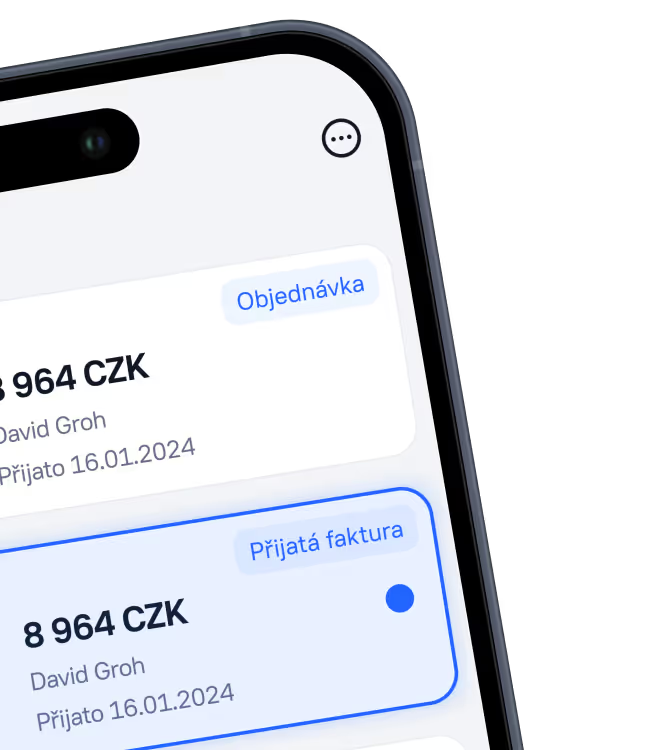
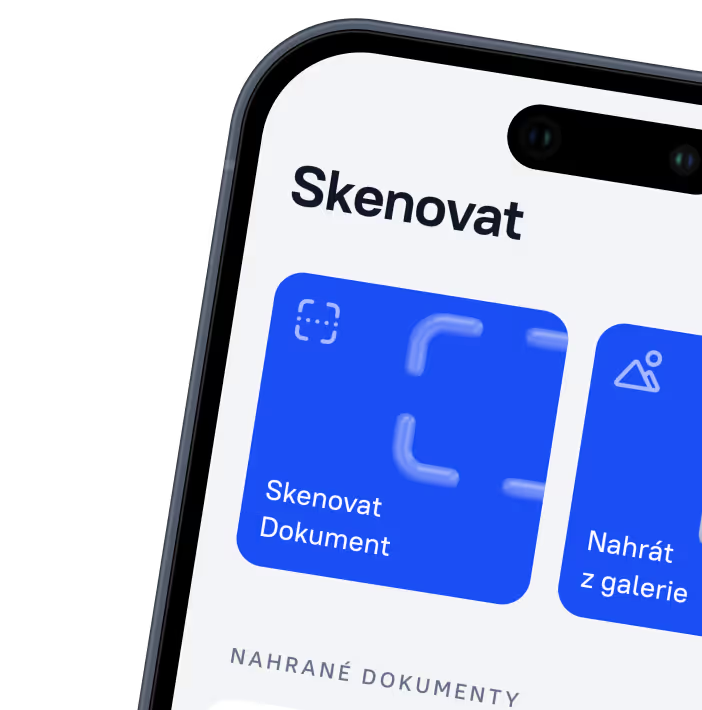
Approve expenses and manage documents anytime, anywhere
Approve expenses, upload documents and keep track of costs in real time, directly from your mobile.